
Full Audit Report
To view your full audit report, click the View Full Audit Report button in the Accessibility Audit section of your dashboard.
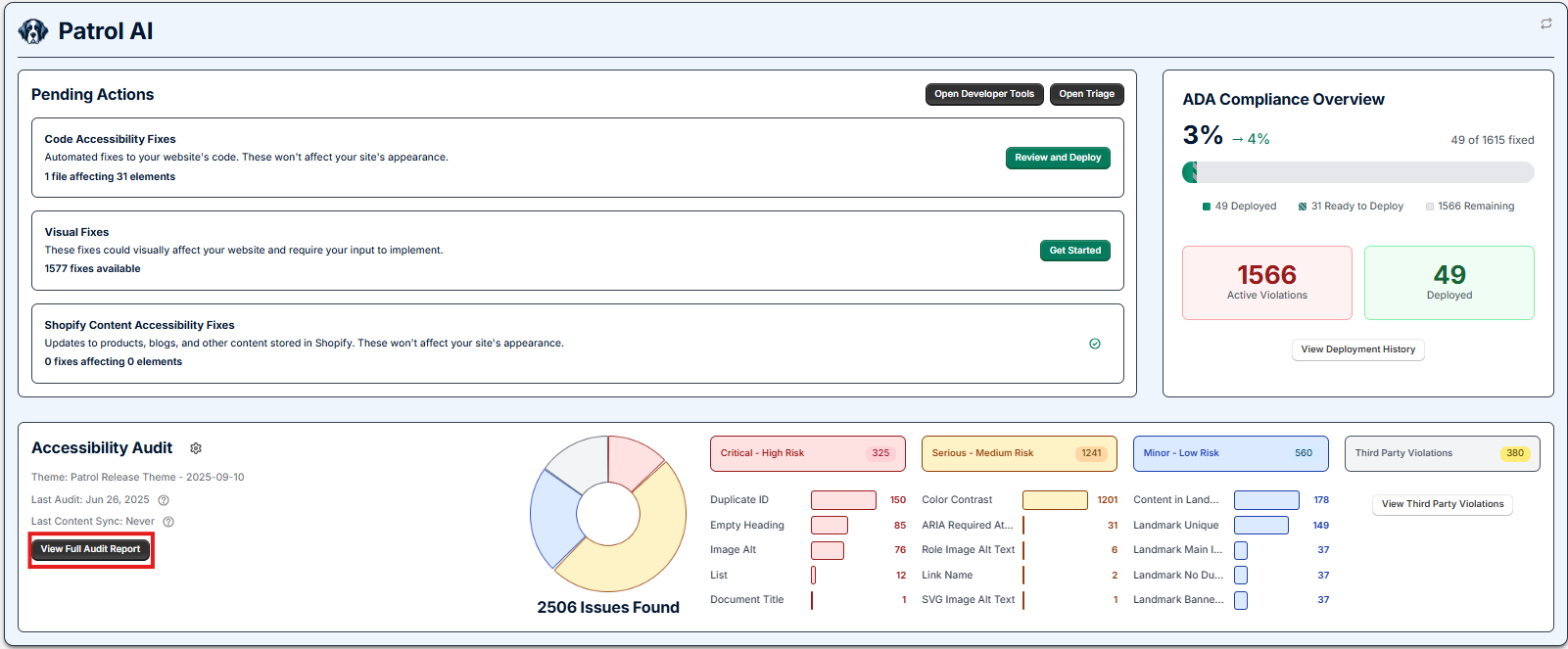
The Full Audit Report provides an overview of the last audit results. It highlights the theme which Patrol has audited, when the last audit took place, as well as when the last content sync was deployed.
The audit report shows the total number of violations Patrol found, and a breakdown of the number of issues found with each of the various violation types.
Clicking on a specific violation type will provide a description of the violation type, and information such as how Patrol fixes the issue in your code or best practices around the violation type. If you click the View Details button on a particular violation, it will list the number of active violations and affected pages associated with the specific violation. This page will also share the progress you have made towards fixing this specific violation. Clicking the Learn More button will bring you back to the description of the violation type.